

Create and customize your own CMS modules with AI
Learn from the Blog module example how to copy an existing PHP file, have it edited with ChatGPT, use your own table when the database structure changes, and then test all functions.
Objective of the Tutorial
With an existing module of the bluetronix CMS, you can develop a customized module version using AI. We’ll use the blog module as an example. Copy an existing PHP file, have it edited by ChatGPT according to your specifications, and then test all functions. If the AI changes the database structure, use your own database table.
Prerequisite: You need developer access to the module files and the associated database tables. Backup the original module file and the database before making extensive changes.
1. Open the Blog module in the file manager
Open the file manager and navigate to the bx_Mod folder. Select the Blog module. In this example, we will use the file Modul-Blog-List.php as a starting point.
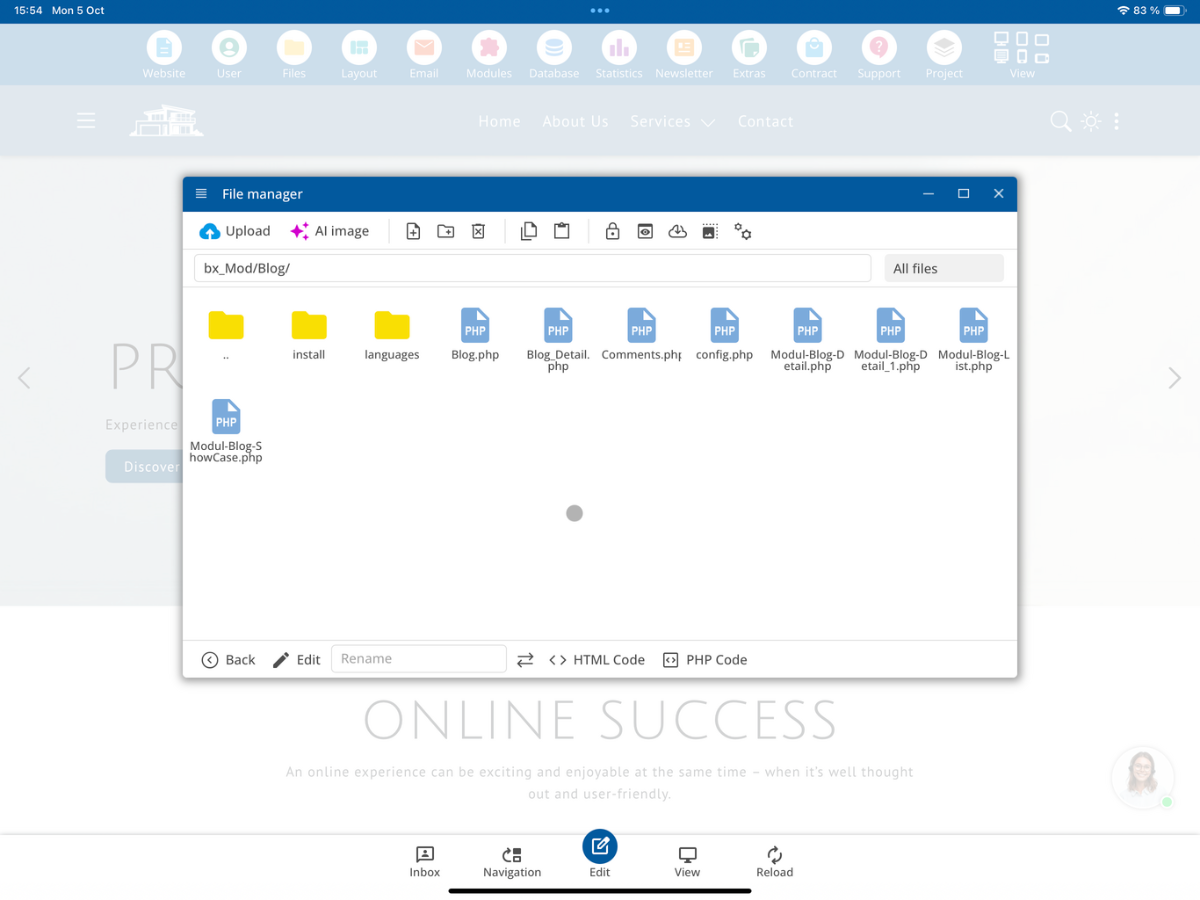
2. Create your own PHP file
Copy Modul-Blog-List.php, paste the copy, and rename it to Modul-Blog-List_own.php. Only edit your own version. This keeps your changes separate from the regular updates of the original file.
Modul-Blog-List.php
       ↓ copy
Modul-Blog-List_own.php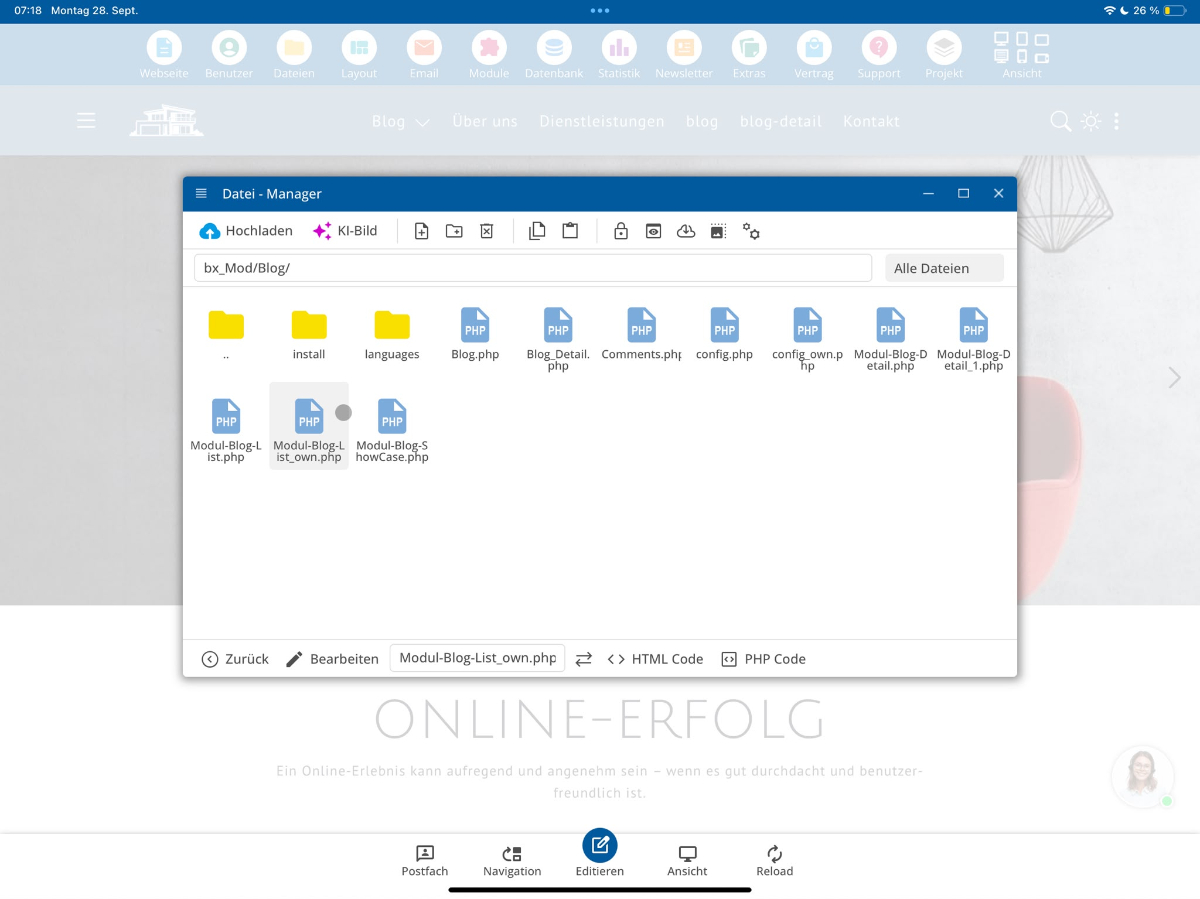
3. Download your own module file
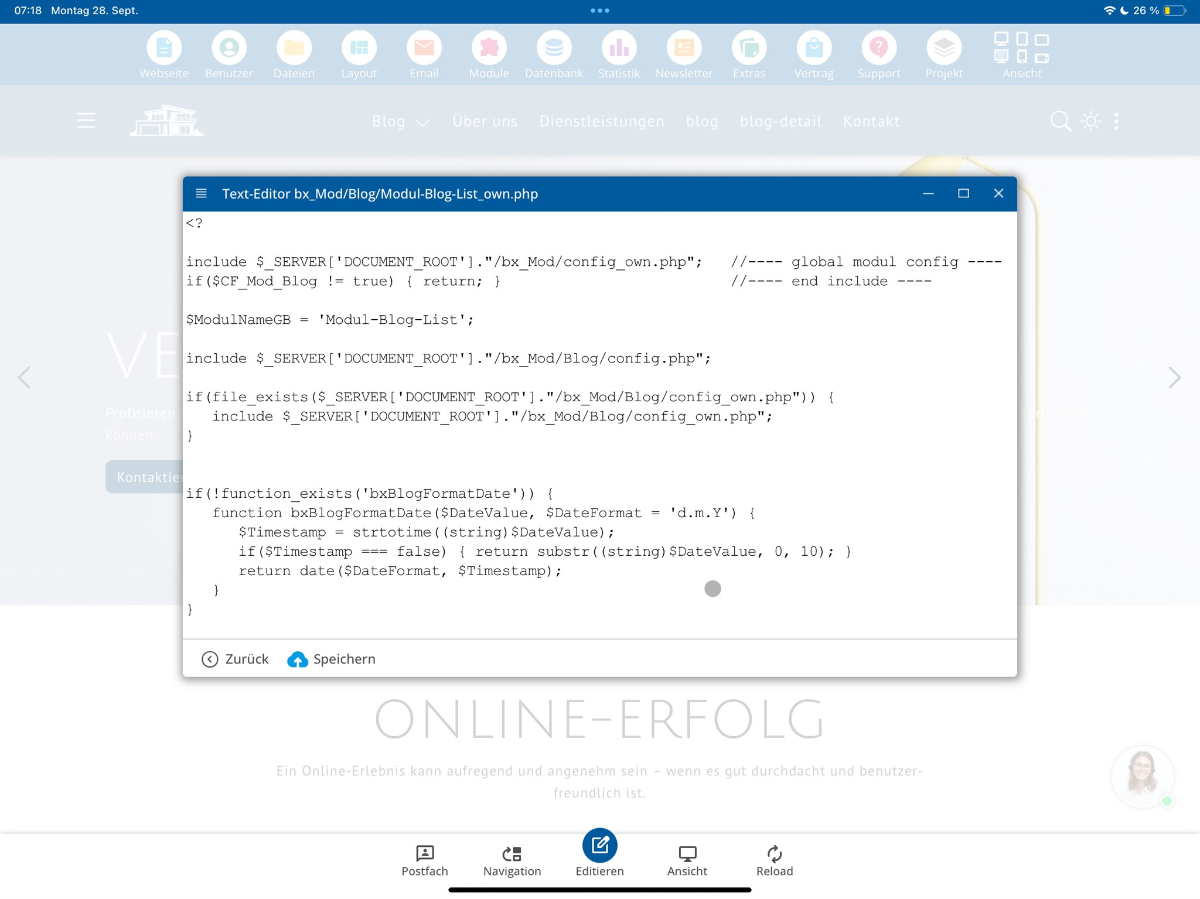
The copied PHP file contains the necessary components for this module view: parameter processing, database access for loading and saving, HTML output, as well as associated CSS and JavaScript. Download your file so you can provide it to ChatGPT for editing. Before uploading, check whether it contains access data, personal information, or other confidential information, and remove such data if necessary.
4. Customize the module with ChatGPT
Upload Modul-Blog-List_own.php to ChatGPT and describe your desired changes as specifically as possible. For example, you can rephrase texts, change the date format, or adjust the display of blog entries. Request that existing functions, parameters, and database accesses be maintained unless you request a change. Review the generated code before adopting it.
Example Prompt:
Please modify the attached module `Blog-list_own.php`. Change the date format and rephrase the heading of the blog list. Preserve all existing parameters, functions, and database operations. List any required changes to the database structure separately. Return the complete modified PHP file. 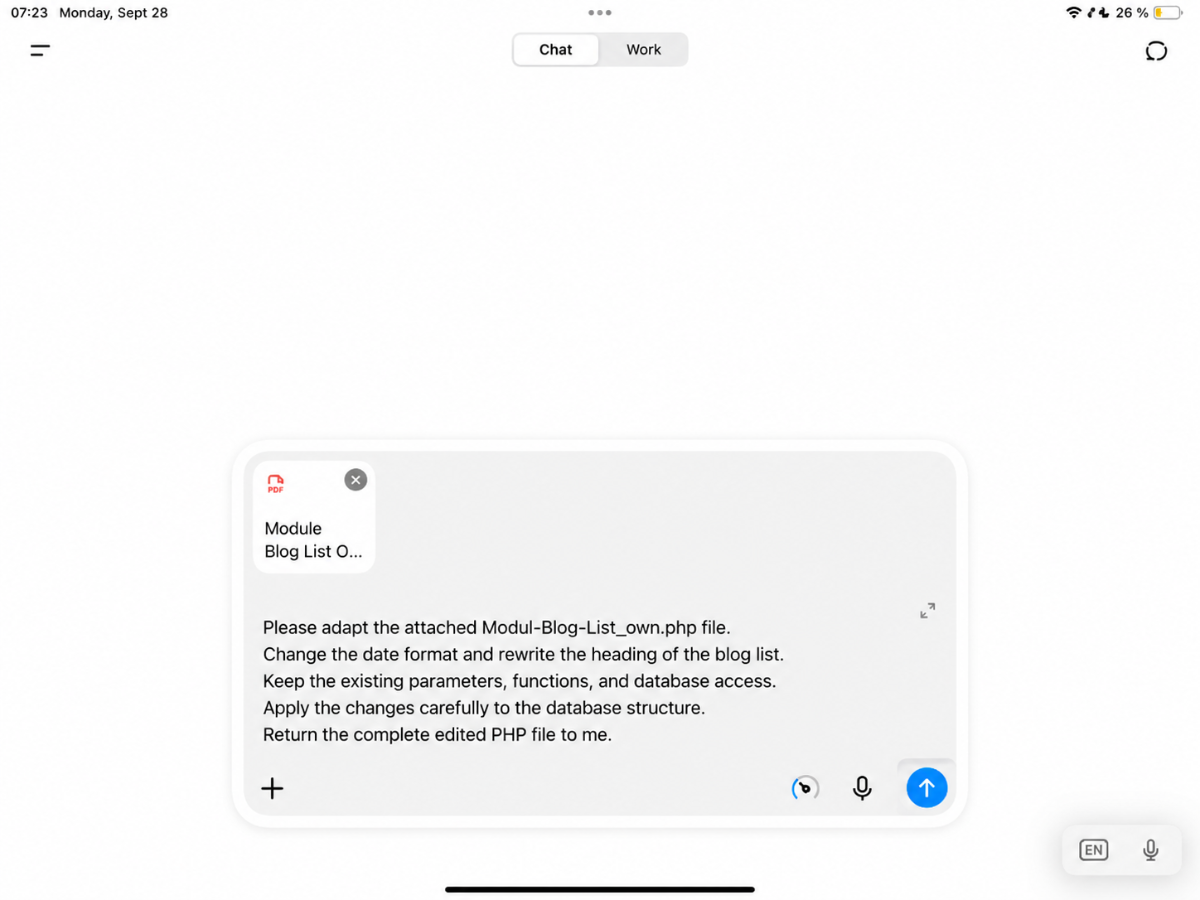
5. When an own database table is required
If the AI only changes text or display, a new table is not automatically necessary. However, if it adds columns, removes columns, or renames columns, you should not change the original module table. Instead, create a copy of the existing MySQL table under a different name, for example, Blog_own. You can adjust your own table according to your requirements.
6. Change the table name in your own module
Search in your own PHP file for the assignment of the database table. The example uses the original blog table:
$CF_DatabaseTable = "Blog";Change the assignment in your own module file to the name of the previously copied table:
$CF_DatabaseTable = "Blog_own";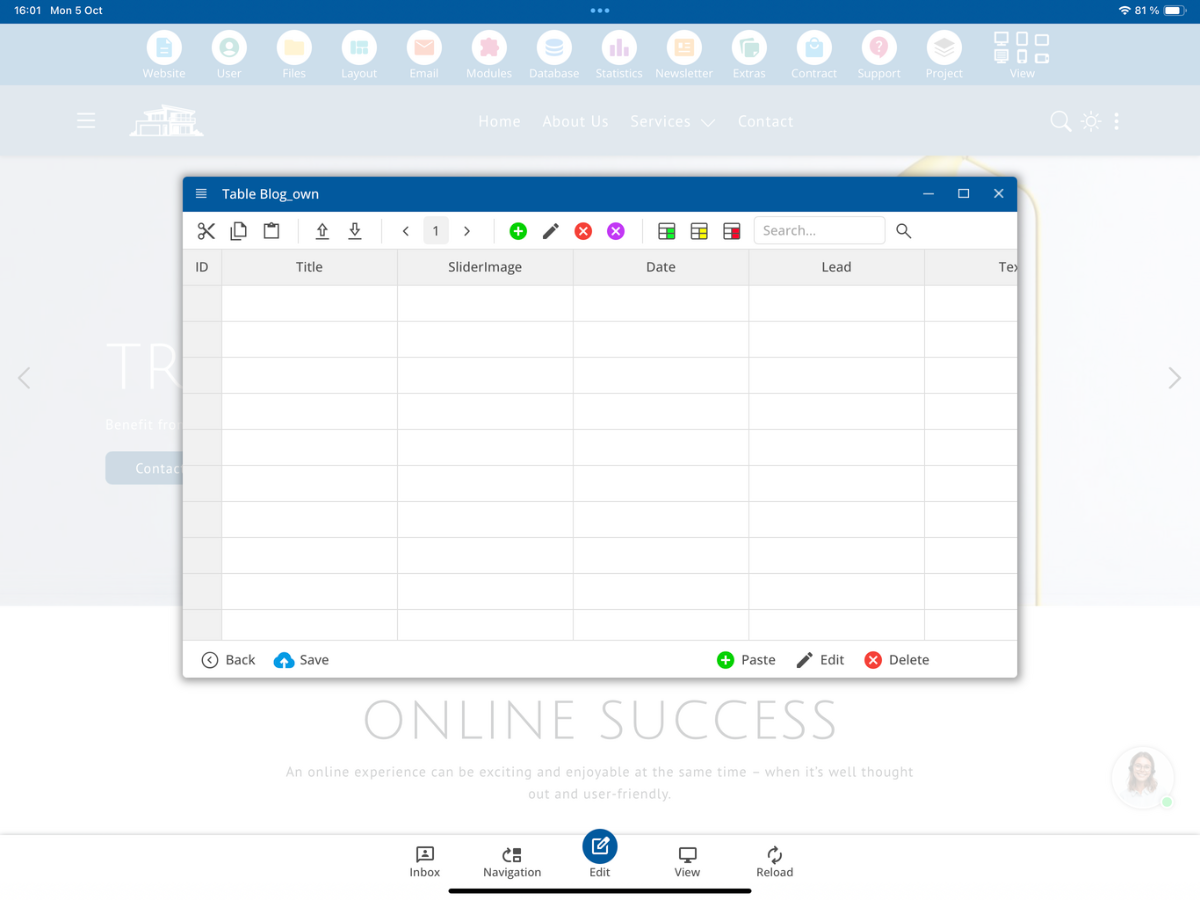
7. Protect your own table from updates
The suffix _own is not technically mandatory for the name of a new table. However, it is the safer variant: a future CMS update might otherwise provide a newly introduced system table with the same name. Therefore, use Blog_own and adjust the table assignment in your own module file accordingly. Also, check if any other queries or configuration files still reference the original table.
8. Transfer the modified file back to the CMS
Transfer the verified PHP file back into the blog module folder and continue to use your own version with the _own suffix. Make sure that your module configuration or invocation actually references this own file. How this reference is set depends on the existing module configuration.
9. Test all functions thoroughly
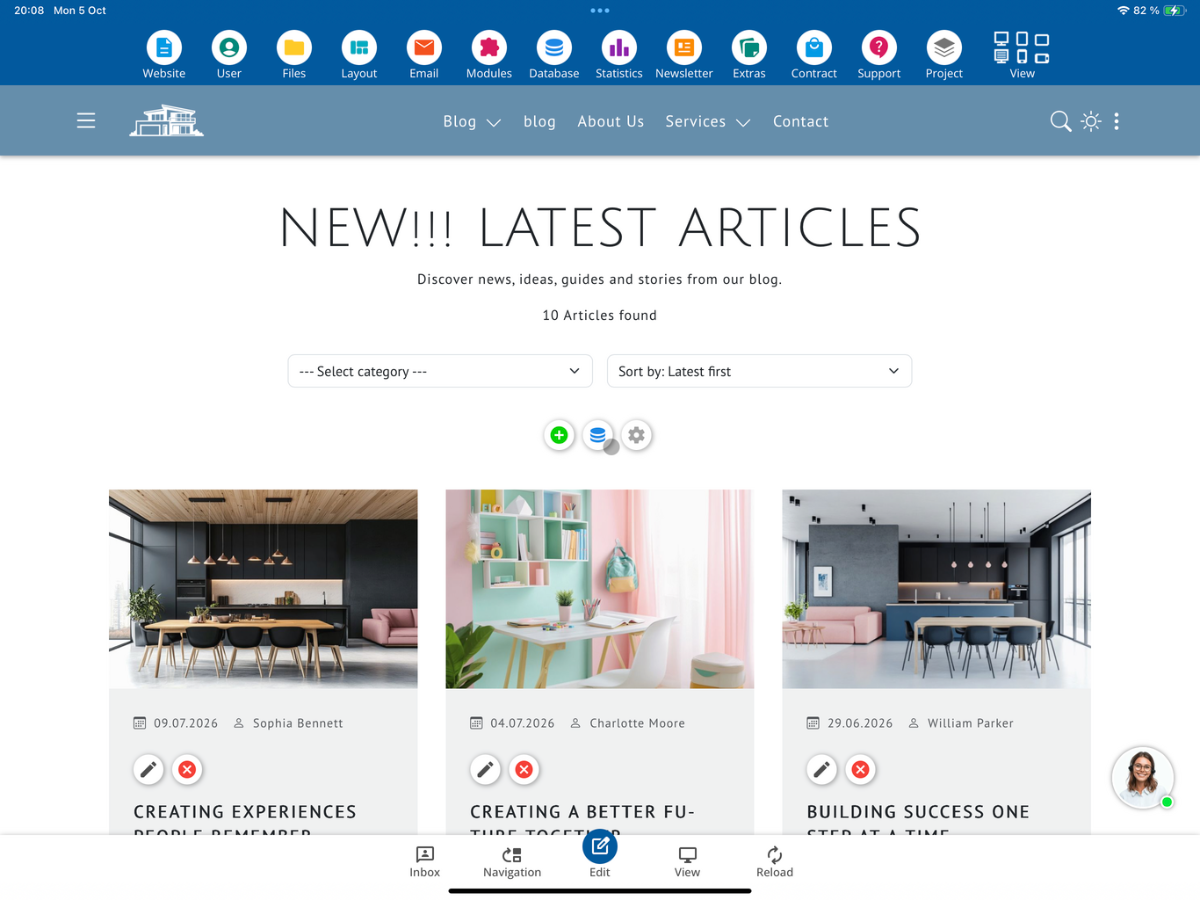
Open your customized module view and test the full functionality. Pay particular attention to the Add new entries, Edit existing entries, and the Delete function. Also open the entire database view and check if all entries and columns are displayed correctly. Recheck if parameters, form submissions, and database accesses work after every major AI change.
10. Summary
With your own copy of an existing module file, you can specifically adapt a CMS module using AI. Keep the standard file unchanged, use the suffix _own for your own PHP file, and create your own database table for changes to the table structure. Finally, verify all functions and the entire database view before providing the module to a customer.
FAQ
what customers often ask us
Can I customize an existing module with ChatGPT?
Yes. First, copy the desired module file as your own _own version, download it, and provide it to ChatGPT along with your change requests.
Which file is used in the example?
The starting point is the file Modul-Blog-List.php in the blog module. The editable copy is called Modul-Blog-List_own.php.
Why should I mark the module file with _own?
This separates your changes from the standard file, which can be overwritten during CMS updates.
Do I need to create a new database table for each AI adjustment?
No. A separate table is particularly necessary if you want to change the existing table structure, for example, by adding, removing, or renaming columns.
How do I change the name of the database table?
Look for the variable $CF_DatabaseTable in your own module file and change the value, for example from Blog to Blog_own. Also check other table references.
Why is _own also useful for custom tables?
The suffix reduces the risk of name conflicts if a future CMS update introduces a new system table with the same name.
What should I consider when uploading the PHP file?
Check the file for confidential information before uploading and remove, for example, access credentials or personal data.
Which functions should I test after the AI adjustment?
Test adding, editing, and deleting as well as the complete database view. Also verify if the data is correctly saved and displayed.