

UTM parameters for campaign tracking
Get to know the five most important UTM parameters and use them for Google Ads, social networks, newsletters, and landing pages. The statistics view of the bluetronix CMS serves as an entry point.
Objective of the Tutorial
With UTM parameters, you can differentiate the source of your website visitors by traffic source, advertising channel, and campaign. You will learn about the five most important parameters and create complete tracking URLs for ads, newsletters, and landing pages.
The bluetronix CMS supports UTM parameters for the unique assignment of website visits to advertising campaigns and other external traffic sources.
UTM parameters can be directly appended to a target URL and used, for example, in ads from:
- Google Ads
- Meta Ads
- OpenAI Ads
- Microsoft Ads
- LinkedIn Ads
- Newslettern
- Partner-Webseiten
- anderen Werbe- und Kampagnenplattformen
will be used.
This allows for precise evaluation later on, determining which source, campaign, or ad a visitor used to reach the website.
Statistical evaluation in the bluetronix CMS
Open the Statistics section in the CMS. The displayed statistical analysis shows the page views per month as an example. You can take a closer look at a specific time frame via Details.
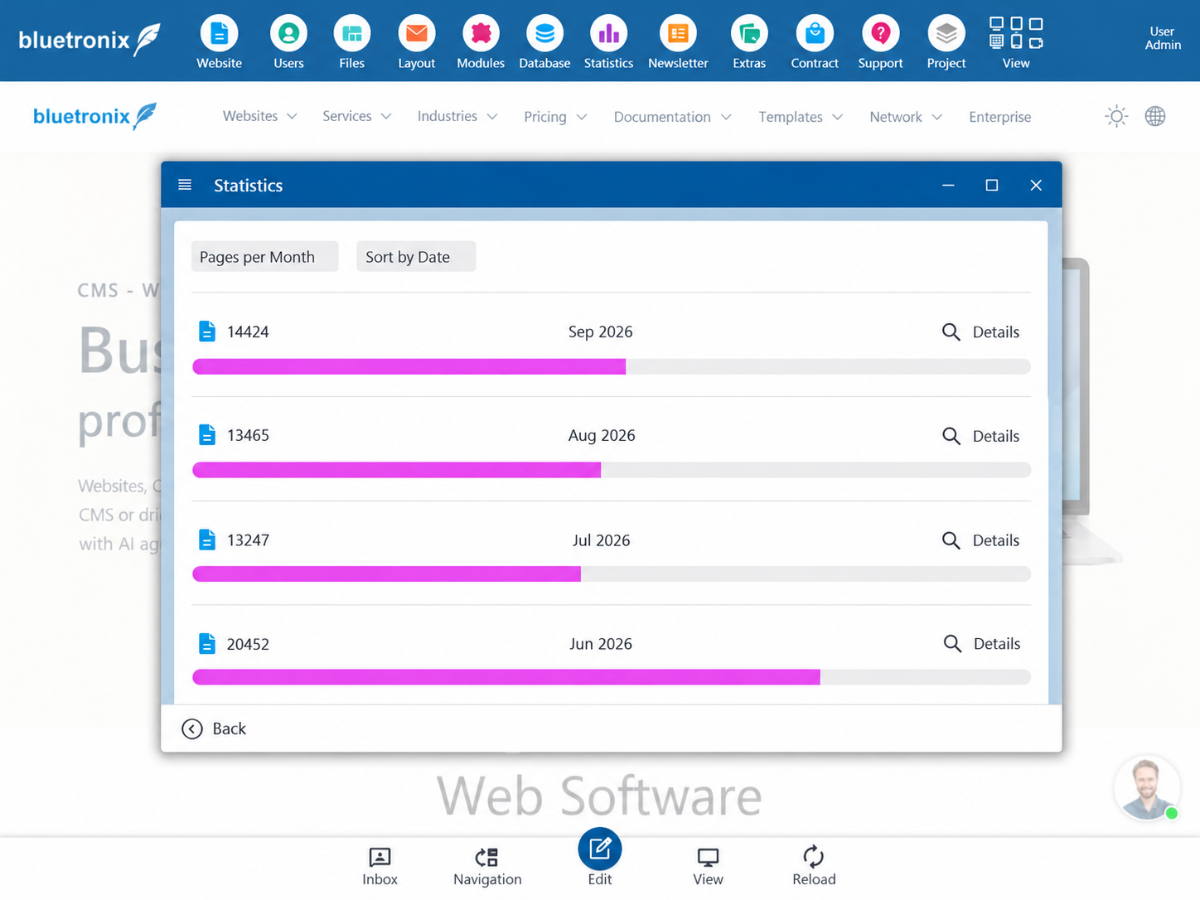
Note: The image shows the general monthly overview. The UTM parameters themselves are not displayed in this screenshot. In the following examples, you will learn how to pass tracking information through the target URL.
Example
A normal URL:
https://www.example.com/index.htmlcan for example be extended with the following UTM parameters:
https://www.example.com/index.html?utm_source=google&utm_medium=cpc&utm_campaign=website_campaignThe content of the page does not change as a result. The additional parameters are solely for the assignment and evaluation of access.
The most important UTM parameters
| Parameters | Purpose / Meaning | Typical values |
|---|---|---|
utm_source |
Where does the visitor come from? Indicates the source of the traffic. | google, facebook, instagram, linkedin, bing, newsletter_ID_5 |
utm_medium |
Through which channel or medium did the visitor come? | cpc, email, social, banner, referral, organic |
utm_campaign |
Which campaign does the access belong to? | website_campaign, autumn_sale, black_friday, product_launch |
utm_term |
Which search term or keyword is related to the access? | create website, crm software, online shop |
utm_content |
Which specific link, button, or ad variant was used? | cta_button, header_banner, image_ad, text_ad_a |
utm_source
utm_source describes the specific source of the visitor.
Examples:
utm_source=google
utm_source=facebook
utm_source=instagram
utm_source=linkedin
utm_source=bing
utm_source=newsletter_ID_5
This can differentiate between visitors from Google Ads, Meta Ads, or a specific newsletter.
utm_medium
utm_medium describes the marketing channel used.
Examples:
utm_medium=cpc
utm_medium=email
utm_medium=social
utm_medium=banner
utm_medium=referral
For paid click ads, often:
utm_medium=cpcused.
utm_campaign
utm_campaign contains a unique name for the campaign.
Examples:
utm_campaign=website_campaign
utm_campaign=summer_sale
utm_campaign=black_friday
utm_campaign=product_launch
This allows accesses and subsequent conversions to be attributed to a specific advertising campaign.
utm_term
utm_term can include the keyword of a search campaign.
Examples:
utm_term=website_erstellen
utm_term=online_shop
utm_term=crm_software
This parameter is particularly useful for search ads.
utm_content
utm_content can be used to differentiate between various ads, buttons, or links within the same campaign.
Examples:
utm_content=cta_button
utm_content=image_banner
utm_content=text_ad_a
utm_content=video_ad_b
This allows for evaluation of which ad variant within the same campaign generates the most accesses or conversions.
Example: Google Ads
https://www.example.com/index.html?utm_source=google&utm_medium=cpc&utm_campaign=website_campaign&utm_term=website_erstellen&utm_content=text_ad_aThus, the access is attributed as follows:
Source:   google
Medium:   cpc
Campaign: website_campaign
Term:     website_erstellen
Content:  text_ad_a
Example: Meta Ads
https://www.example.com/index.html?utm_source=facebook&utm_medium=cpc&utm_campaign=website_campaign&utm_content=video_ad_1An Instagram ad could be used as:
https://www.example.com/index.html?utm_source=instagram&utm_medium=cpc&utm_campaign=website_campaign&utm_content=story_ad_1Example: OpenAI Ads
https://www.example.com/index.html?utm_source=openai&utm_medium=cpc&utm_campaign=website_campaign&utm_content=ad_1This also allows accesses from this advertising channel to be clearly identified within the same bluetronix evaluation.
Example: Landing page
UTM parameters can naturally also refer directly to a specific landing page.
https://www.example.com/landingpage.html?utm_source=google&utm_medium=cpc&utm_campaign=website_offerOr in more detail:
https://www.example.com/landingpage.html?utm_source=linkedin&utm_medium=cpc&utm_campaign=b2b_website_campaign&utm_content=video_ad_2Example: Newsletter
https://www.example.com/landingpage.html?utm_source=newsletter_ID_5&utm_medium=email&utm_campaign=september_offer&utm_content=cta_buttonThis allows not only to recognize that the visitor comes from a newsletter, but also from which newsletter and via which link.
Append UTM parameters to existing parameters
If a URL already has a parameter, the UTM parameters do not start again with ?, but are appended with &.
Example:
https://www.example.com/index.html?ProductID=25&utm_source=google&utm_medium=cpc&utm_campaign=product_campaignIt remains:
ProductID=25the normal page parameter.
The additional UTM parameters are for campaign attribution.
Recommended format
UTM values should be written as consistently as possible.
Recommended:
utm_source=google
utm_medium=cpc
utm_campaign=website_campaign
utm_content=video_ad_1
Avoid different spellings for the same source such as:
Google
google
GOOGLE
GoogleAds
as these can be treated as different values during later evaluation.
Therefore, a consistent lowercase and the use of underscores is advisable.
No personal data in UTM parameters
Important: UTM parameters should not contain confidential or personal data.
For example, do not use:
- E-Mail-Adressen
- Namen von Kunden
- Telefonnummern
- Passwörter
- Kundennummern mit Personenbezug
UTM parameters are part of the URL and can be visible in browser histories, log files, and analytics systems.
Typical campaign structure
For a standard advertising campaign, three parameters are often sufficient:
utm_source
utm_medium
utm_campaign
Example:
https://www.example.com/index.html?utm_source=google&utm_medium=cpc&utm_campaign=website_campaignFor a more detailed evaluation, the following can be used additionally:
utm_term
utm_content
Complete example
https://www.example.com/landingpage.html?utm_source=google&utm_medium=cpc&utm_campaign=website_campaign&utm_term=website_erstellen&utm_content=video_ad_1This call can be clearly attributed to the following campaign structure:
| Property | Value |
|---|---|
| Source | |
| Channel | CPC / paid advertisement |
| Campaign | Website Campaign |
| Keyword | Create a Website |
| Ad variant | Video Ad 1 |
Summary
UTM parameters allow the bluetronix CMS to uniquely assign website visits to various marketing and advertising campaigns.
The key parameters are:
utm_source
→ Woher kommt der Besucher?

utm_medium
→ Über welchen Kanal kommt der Besucher?

utm_campaign
→ Zu welcher Kampagne gehört der Zugriff?

utm_term
→ Welches Keyword wurde verwendet?

utm_content
→ Welche Anzeige bzw. welcher Link wurde verwendet?
Parameters can typically be appended directly to the target URL of an ad with almost any ad provider.
A typical call would be:
https://www.example.com/index.html?utm_source=google&utm_medium=cpc&utm_campaign=website_campaignor for a specific landing page:
https://www.example.com/landingpage.html?utm_source=meta&utm_medium=cpc&utm_campaign=website_campaign&utm_content=video_ad_1This allows later accesses, requests, and conversions to be clearly attributed to the respective campaign and ad source.
FAQ
what customers often ask us
What are UTM parameters?
UTM parameters are additional information in the URL of a webpage. They allow you to distinguish visits by source, marketing channel, and campaign, provided that the corresponding tracking data is captured.
Which three UTM parameters are most commonly used?
The basic parameters are utm_source for the source, utm_medium for the channel, and utm_campaign for the campaign name.
What is utm_source used for?
utm_source specifies the traffic source, such as google, instagram, or newsletter_ID_5.
What does utm_medium=cpc mean?
The value cpc typically indicates a paid click channel. Other possible values include email, social, or referral.
How do I distinguish different ads within the same campaign?
Use utm_content, for example utm_content=video_ad_1 for a video ad or utm_content=cta_button for a specific button.
When is utm_term useful?
With utm_term, you can pass the search term or keyword of a campaign, for example utm_term=website_erstellen.
How do I add UTM parameters if the URL already has a GET parameter?
After an existing parameter like ProductID=25, you append additional information with &, for example &utm_source=google. A second question mark would be incorrect.
Do UTM parameters change the visible content of the target page?
In the examples shown, the UTM parameters serve to attribute the access. They do not change the actual content of the page.
How can I distinguish different newsletters?
Use a consistent identifier as a source, for example utm_source=newsletter_ID_5, along with utm_medium=email and a campaign name.
Why should UTM values be written consistently?
Different spellings like Google, google, and GOOGLE can appear as different values in reports. Consistent lowercase simplifies allocation.
Can I include names or email addresses in UTM parameters?
Do not use confidential or personal information. UTM parameters are part of the URL and may become visible in browser histories and log files.
What does the screenshot of the statistics report show?
It shows the monthly page statistics of the bluetronix CMS with page views and the option to open details for a month. A separate UTM detail view is not depicted there.