

Set CMS cache and deliver pages faster
With the integrated cache, the bluetronix CMS can deliver pre-generated pages directly on future requests. In this tutorial, you will learn how to set the cache settings per page and the important differences for static, parameter-dependent, multilingual, and personal pages.
What is the CMS cache?
The bluetronix CMS can cache the completed HTML of a page that has already been generated. On a later call, this cache version can be output directly instead of generating the page completely through the CMS site rendering process each time.
This allows many pages to be delivered faster without requiring all PHP processing steps and database queries again at each request. You can set the cache option for each CMS page individually.
Open the cache settings of a page
Open the desired page in the Editor and access the Page Settings through the gear icon. There you will find the Cache setting.
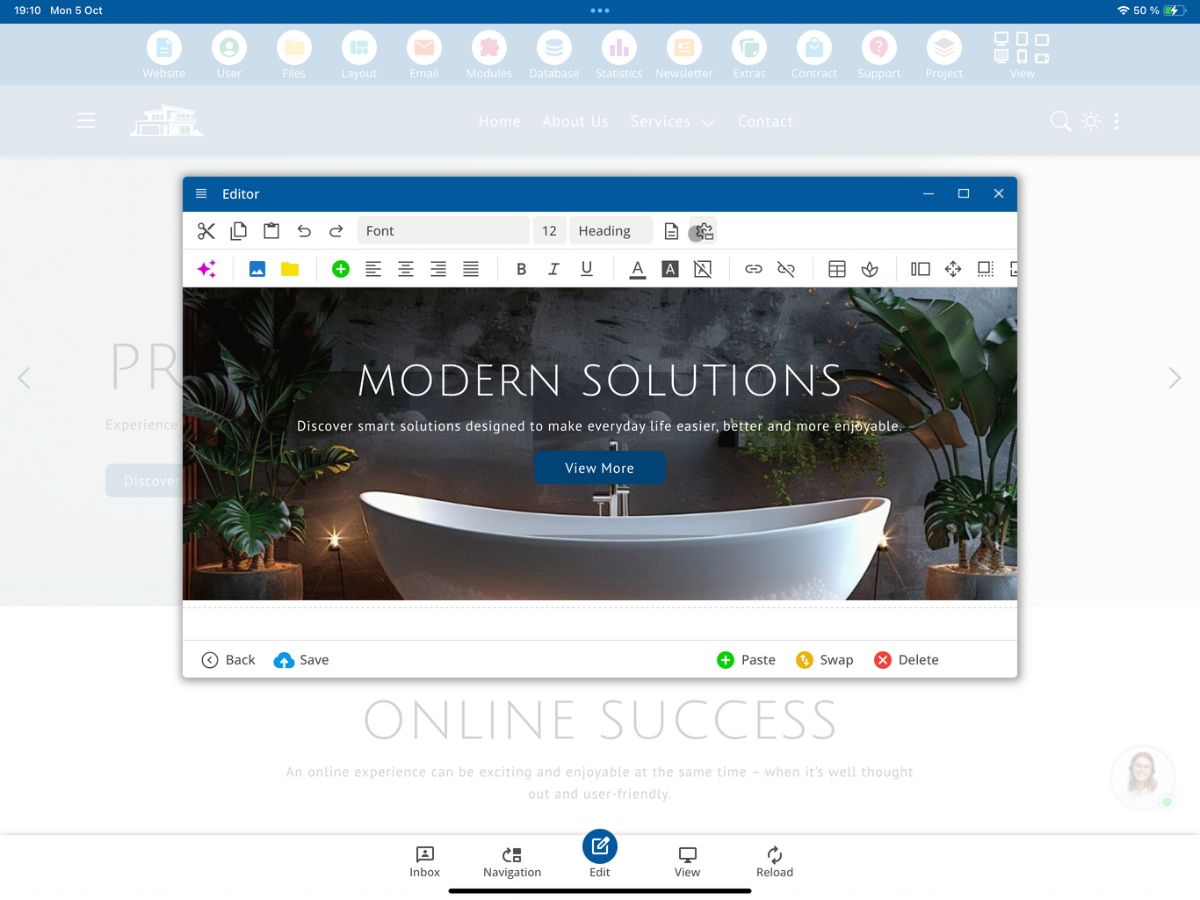
Using the dropdown, you can specify whether the page may be cached. By default, the cache is enabled.
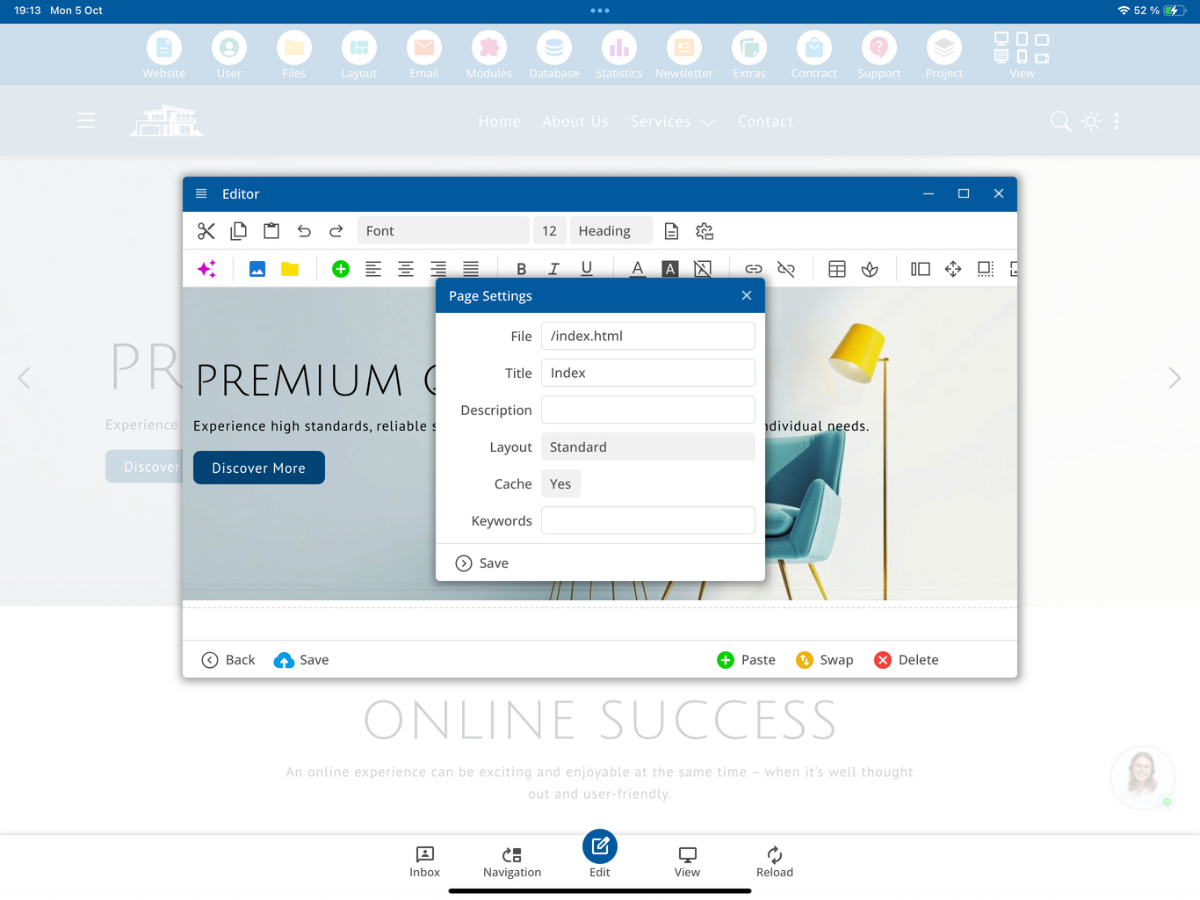
Select the desired setting and tap Save.
Cache: Yes – reuse the finished page
With Cache: Yes, the CMS can save the completed HTML page. If a suitable, current cache version is available on a later request, the finished HTML can be delivered directly.
Seitenaufruf
      ↓
Passende Cache-Version vorhanden?
      ↓
Ja
      ↓
Fertiges HTML direkt ausgeben
The complete rendering process does not need to be repeated for such a request. If the page needs to be regenerated, it first goes through the normal CMS processing; afterwards, the result can be saved back in the cache.
Cache: No – regenerate the page on each request
If you choose Cache: No, the page will not be delivered from the page cache. The CMS will execute the required rendering process again with each request.
Seitenaufruf
      ↓
CMS-Site-Rendering-Prozess
      ↓
PHP-Verarbeitung und benötigte Datenbankzugriffe
      ↓
Layout und Seiteninhalt erzeugen
      ↓
HTML ausgeben
This setting is suitable for pages whose content must be current or generated individually for each user at every request.
Example: Caching a normal content page
A page like about_us.html usually displays the same content for all visitors. With the cache function enabled, the CMS can generate it and reuse the finished HTML for further requests.
/about_us.html → eigene Cache-VersionTo the visitor, the website looks the same as with a freshly generated page. Whether the HTML comes from the cache is not discernible solely from the visible page layout.
When is the cache version renewed?
The CMS considers not only the direct page content but also other components of the finished page. These include, for example, the used layout, the header, the navigation, the footer, and other embedded page elements.
If the footer is changed or a new menu item is created, the cache version of an unchanged content page must also be updated. The CMS checks the relevant components for the page and creates a new cache version in case of corresponding changes.
Custom cache versions for GET parameters
A page can also be cached when accessed via GET parameters. It is crucial that a specific parameter combination yields the same content as long as the associated data does not change.
A product call may look like this:
/index.html?productID=1
/index.html?productID=2
/index.html?productID=3
/index.html?productID=4
Each of these calls can display different product content. Therefore, the CMS can use a separate cache version for each parameter combination.
GET parameters alone are not a reason to disable the cache. The prerequisite is that the respective cache version must contain the same content for all visitors it is delivered to.
Separate cache versions for different languages
For multilingual websites, the language is also taken into account. The same product may contain different texts on an English, German, and French webpage, for instance.
https://www.my-demo.com/index.html?productID=1  →  Englisch
https://www.my-demo.de/index.html?productID=1   →  Deutsch
https://www.my-demo.fr/index.html?productID=1   →  Französisch
The cache versions must therefore also match the respective language. Thus, the same product call can be delivered in each language with the appropriate texts.
When should you use Cache: No?
For pages with user-dependent content, you should disable the page cache. A personal account page may have the same URL but display different information for each logged-in user.
/MyAcoount.html  →  Benutzer Max   →  eigene Shop-Käufe
/MyAcoount.html  →  Benutzer Ross  →  andere Shop-Käufe
These personal contents must not be reused as a general cache version for other visitors. Set the cache for such a page to No.
Also, with /Search.html, Cache: No may be sensible if the search results need to be determined anew with each request or depend on inputs not considered in the cache.
Do not enable the page cache for outputs that contain personal data of different users under the same URL.
Summary
With Cache: Yes, suitable pages can be reused as finished HTML and delivered faster. Different GET parameters and languages can receive their own cache versions. Changes to relevant page elements result in the renewal of the affected cache versions.
For personal account pages or other content that must be user-dependent upon every call, you choose Cache: No. You can find this setting directly in the editor under Page Settings → Cache.
FAQ
what customers often ask us
Where can I find the cache setting for a CMS page?
Open the desired page in the editor and go to Page Settings via the gear icon. There, you will find the Cache selection.
What is the default cache setting?
By default, the page cache is activated.
What happens with Cache: Yes?
The CMS can save the finished HTML and deliver a suitable, current cache version directly upon later calls. This means the page does not need to be completely recreated with every call.
What happens with Cache: No?
The page is recreated via the required CMS site rendering process on every call and is not delivered from the page cache.
Is the cache renewed if I change the header, navigation, or footer?
Yes. The CMS also considers relevant elements embedded in the page and generates a new cache version with appropriate changes.
Can a page with GET parameters be cached?
Yes. For example, productID=1 and productID=2 can each receive their own cache versions, provided their content can be reused for the respective calls.
Are there different cache versions for different languages?
Yes. The language is taken into account, so for example, the English, German, and French versions of a product call can receive different cache versions.
Should I activate the cache for personal account pages?
No. A personal account page like /MyAccount.html can display different data under the same URL depending on the logged-in user. Use Cache: No for this.
How do I handle the cache of a search page?
For /Search.html, Cache: No may be sensible if search results need to be recalculated on each call or depend on further inputs.