

Using PHP code and $LayoutHTML in the bluetronix CMS
With a developer access, you can edit the PHP code of your CMS pages yourself. In this tutorial, you will learn how to execute PHP statements, modify HTML content via $LayoutHTML, and use your own functions as well as the built-in CMS functions.
Custom PHP code in bluetronix CMS
With a developer access, you can use your own PHP code within a CMS page. The HTML code of the page and your PHP code work together. A central role is played by the variable $LayoutHTML: It contains the HTML code of the currently generated page during the site rendering process. With PHP, you can search, modify, and replace content within it.
For your own PHP code, you need a developer access to the bluetronix CMS. If you do not already have developer access, you can apply for it separately.
Open the PHP code of a page
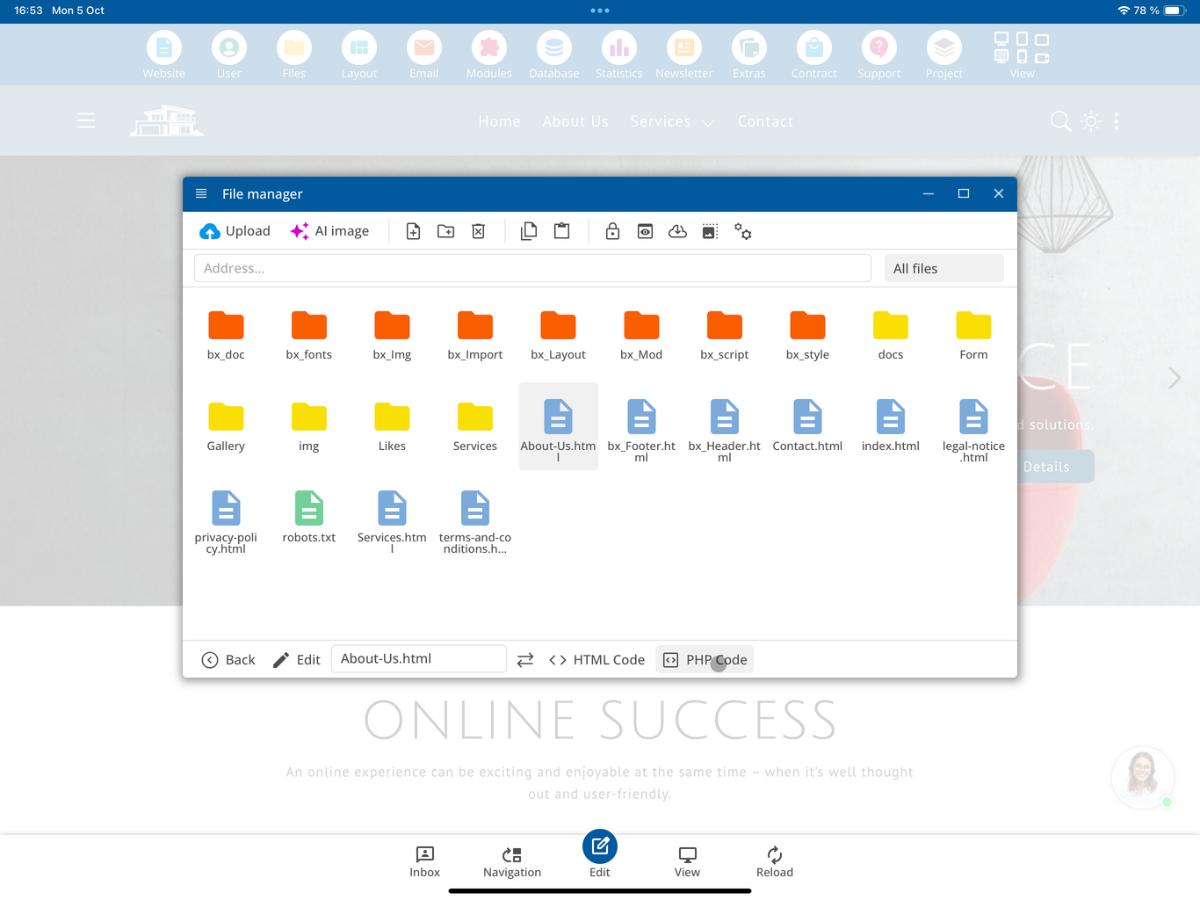
Open PHP Code on the desired page to edit the PHP code of the page.
Do not use additional PHP tags
The PHP code is already executed as PHP code by the CMS. Therefore, you must not use additional PHP tags in the PHP code editor. This syntax is not required there:
<?php print "Hello World"; ?>Instead, write your PHP statement directly:
print "Hello World";Terminate PHP execution with exit
For testing, you can enter the following statements, save them, and then reload the page:
print "Hello World";
exit();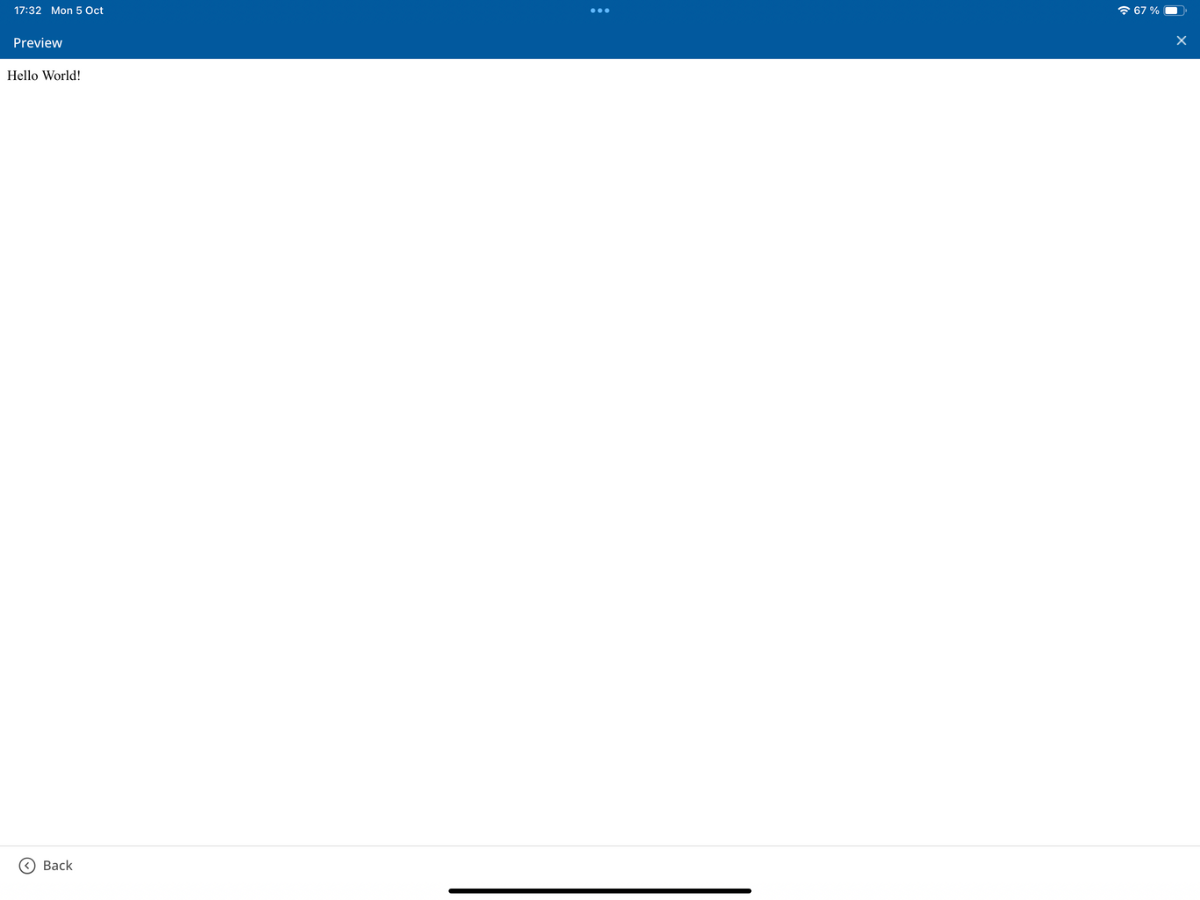
In this example, only Hello World is displayed. With exit();, you terminate PHP execution at this point.
With exit();, the further CMS site rendering process is also terminated. Header, actual page content, footer, and subsequent processing steps will no longer be executed.
PHP output within the normal page
If you remove exit(); and use only the following statement, the rendering process will continue normally afterwards:
print "Hello World";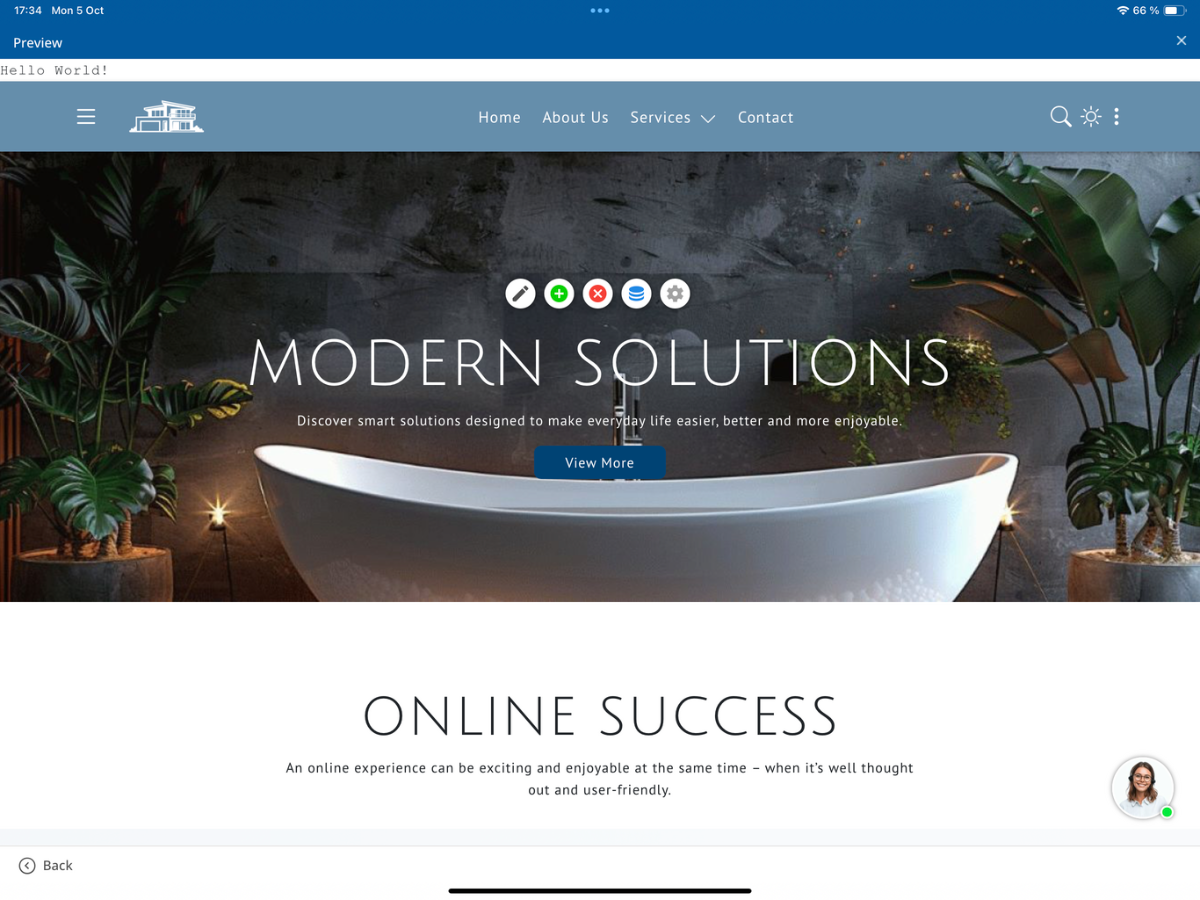
PHP first outputs Hello World. Afterwards, the actual CMS page continues to be generated, including header, page content, and footer. However, for changes directly within the HTML page, you should ideally work with $LayoutHTML.
Edit HTML and PHP separately
In the bluetronix CMS, you can maintain the HTML Code and the PHP Code of a page separately. This keeps the HTML structure editable in the editor, while you store the program logic in the PHP area.
Define your own placeholders in HTML
Define a placeholder in the HTML code that your PHP code will later replace. A simple example is:
__MyText__Use English names for your own placeholders, even on German-language websites. This keeps the naming internationally understandable and uniform.
Other possible designations are:
__CustomerName__
__ProductPrice__
__CurrentDate__
Replace placeholders with $LayoutHTML
With str_replace(), you can search for the placeholder in the current HTML code and replace it with your desired content:
$LayoutHTML = str_replace("__MyText__","Mein Text",$LayoutHTML);The CMS searches for __MyText__ in $LayoutHTML and replaces the placeholder with My Text.
Combine HTML and placeholders
You can use the placeholder within your normal HTML structure. For example, enter the following code in the HTML area:
<h1>__MyText__</h1>In the PHP area, you add the replacement:
$LayoutHTML = str_replace("__MyText__","Meine Überschrift",$LayoutHTML);During the rendering process, this results in:
<h1>Meine Überschrift</h1>Multiple placeholders in one page section
The same principle works in larger HTML areas. You can define headers and descriptions separately as placeholders, for example:
<section>
   <div class="container">
      <h2>__MyHeadline__</h2>
      <p>__MyDescription__</p>
   </div>
</section>
In the PHP code, you can set both contents independently:
$LayoutHTML = str_replace("__MyHeadline__","Unsere Leistungen",$LayoutHTML);
$LayoutHTML = str_replace("__MyDescription__","Hier finden Sie eine Übersicht unserer Leistungen.",$LayoutHTML);
The final HTML code will then contain the inserted texts instead of the two placeholders:
<section>
   <div class="container">
      <h2>Unsere Leistungen</h2>
      <p>Hier finden Sie eine Übersicht unserer Leistungen.</p>
   </div>
</section>
Keep HTML structure and PHP logic as separate as possible
Technically, you can directly insert complete HTML structures with PHP into $LayoutHTML:
$LayoutHTML = str_replace("__MyContent__","<h2>Meine Überschrift</h2><p>Mein Text</p>",$LayoutHTML);However, for larger contents, it's advisable to keep the HTML as an editable structure in the HTML area and work with placeholders. Example for the HTML code:
<section>
   <h2>__MyHeadline__</h2>
   <p>__MyText__</p>
</section>
The corresponding PHP code only replaces the required values:
$LayoutHTML = str_replace("__MyHeadline__","Meine Überschrift",$LayoutHTML);
$LayoutHTML = str_replace("__MyText__","Mein Text",$LayoutHTML);
The end customer can then change spaces, edit headers, move HTML sections, adjust designs, and edit page sections through the normal CMS editor without having to alter the PHP program logic.
Define your own PHP functions
Within the PHP code, you can create your own functions. For example:
function MyExampleFunction() {
   return "Hello World";
}
Ensure that a function is not defined multiple times during a page request. This can happen if the same function name appears concurrently on the main page, in the header, in an included module, in a page section, or in the footer.
Choose unambiguous names for your own PHP functions. A duplicate function definition results in an error in PHP.
A project-specific function name might look like this:
function MyProjectCreateCustomerText() {
   return "Customer";
}
Check for existing functions before defining a function
Alternatively, you can use function_exists() to check if the specific function is already defined:
if(!function_exists("MyProjectCreateCustomerText")) {
   function MyProjectCreateCustomerText() {
      return "Customer";
   }
}
Use bluetronix PHP functions
In the PHP code area, you can also use the PHP functions provided by the bluetronix CMS. An example is sending an email via the bluetronix SMTP system using BlueSMTPMail():
BlueSMTPMail($MailType,$MailAccount,$SMTPType,$From,$To,$NewsletterTo,$Subject,$TextContent,$HTMLContent,$Attachments,$ImageInMail,$MailPlaceholderReplacement,$FormEntry);You can set the required parameters within your PHP code, for example:
$From        = "info@example.com";
$To          = "customer@example.com";
$Subject     = "Test E-Mail";
$TextContent = "Hello World";
You can then use the central function for sending emails. For a complete call, all other required parameters must also be set correctly. This way, you don't have to program basic CMS functions like SMTP sending again.
Summary
Your own PHP code is executed directly by the bluetronix CMS; additional PHP tags are not required in the PHP Code editor. $LayoutHTML contains the HTML code of the currently generated page and allows you to replace your placeholders with dynamic content.
Create your HTML structure in the HTML area as much as possible and replace the placeholders via PHP. This allows the end customer to continue editing the layout later with the normal CMS editor while keeping the program logic separate.
FAQ
what customers often ask us
Do I need a developer access for my own PHP code?
Yes. To use your own PHP code within a CMS page, you need developer access to the bluetronix CMS.
Where can I find the sample PHP code?
Open the sample page under Modules → PHP Example and select PHP Code.
Do I need to enter <?php and ?> in the PHP code editor?
No. The editor executes the embedded instructions as PHP code already. You write your instructions directly, for example, print "Hello World";.
What happens if I use exit;?
exit; stops PHP execution at that point. This also halts the further CMS site rendering process; the header, page content, and footer will not be generated afterwards.
What is $LayoutHTML used for?
$LayoutHTML contains the HTML code of the currently generated page during the rendering process. You can search for content within it using PHP and, for example, replace your placeholders using str_replace() .
How do I insert dynamic content into my HTML?
Insert __MyText__ in the HTML code and replace this placeholder in the PHP code using str_replace() within $LayoutHTML.
Can I combine PHP placeholders with automatic translation?
Yes. You can use PHP placeholders and translation tags like Our Services together. The translation will occur later during the rendering process.
Why should I keep HTML and PHP separate?
This allows the end customer to edit the HTML layout later with the normal editor while the program logic remains separately in the PHP area.
How do I avoid double-defined PHP functions?
Use unique function names. Additionally, you can check if a function already exists with function_exists() before a definition.
Can I use existing bluetronix PHP functions?
Yes. CMS functions are also available in the PHP code area, such as BlueSMTPMail() for sending emails. You must set the required parameters accordingly.